


UFO VPN : Fastest Secure Proxy
4.0287.00 Reviews
App Specs
- Version
- 2.5.2
- Updated On
- License
- Free
- Downloads
- 1,000,000+
- Developer
- Britto App Centers
- Categories
- Tools
- Platform
- Android
Screenshots
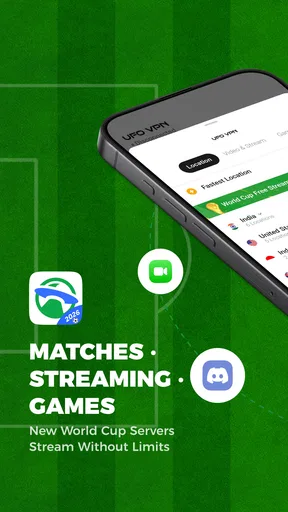
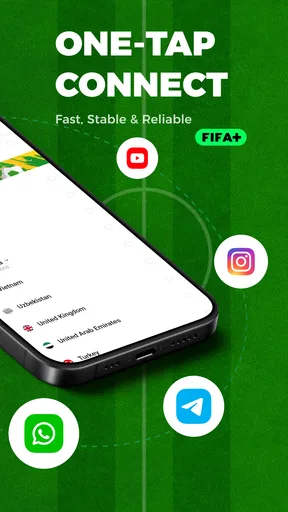

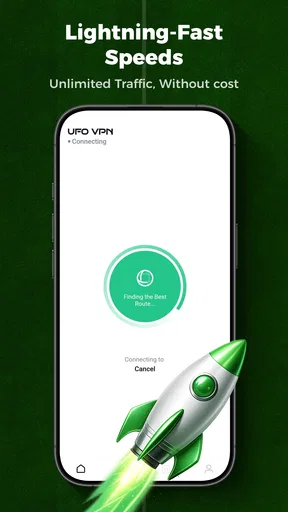
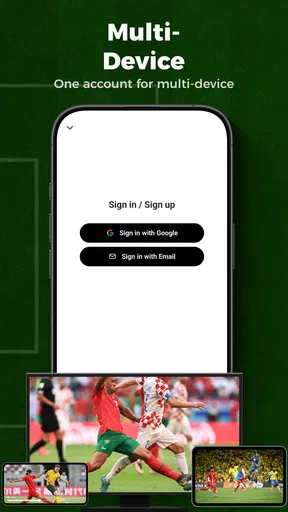
 Analysis by AppCompare
I reach for a VPN when the network I’m using feels like the weak link: a public hotspot, a connection I don’t control, or a website that isn’t available from my current location. UFO VPN: Fastest Secure Proxy is built for that sort of quick switch. It’s a tools app from Britto App Centers, and its one-tap approach makes it easier to try than a VPN that expects you to understand server settings before you can connect.
That simplicity is useful, but I wouldn’t treat any VPN as a magic privacy button. A changed IP and an encrypted connection can help in particular situations; they don’t make every account, website, or online activity automatically safe. I’d use this app as one layer of a sensible routine, while still checking that I’m on the right network and protecting important accounts with their own security measures.
Where a quick connection helps
A VPN is most noticeable when the internet connection is available but the route to a particular service is troublesome. If I’m travelling and want to check a site that behaves differently by region, changing my virtual location may be worth trying. The same applies when a page is blocked on a network I’m allowed to use for ordinary browsing. Results can vary by service, though, so I wouldn’t assume that every site or stream will work just because the VPN connects.
For everyday reading, messaging, and general browsing, I’d first ask whether I need a VPN at all. Adding one creates another step between the phone and the destination, and the route can affect responsiveness. If a familiar site is already working well on a trusted connection, leaving the VPN off may be the simpler choice. I prefer to turn it on for a reason rather than keep it running out of habit.
Using it away from home
The app’s one-tap setup fits moments when I don’t want to fiddle with technical choices. Picture arriving at a café, joining its Wi-Fi, and needing to look up a booking or check a work message. A VPN can add a layer of protection while that traffic travels over a network shared with other people. I would still avoid entering sensitive details unless the site itself is secure and I’m confident I’m using the correct login page.
On a phone, there’s a practical trade-off: the VPN needs an active internet connection to do its job, and the experience depends on both the local network and the route selected in the app. If pages suddenly feel slow, I’d compare the connection with the VPN off, then try reconnecting before blaming the website. That small check helps distinguish a weak café signal from a VPN route that isn’t working well.
Getting Started with UFO VPN
Installing UFO VPN is a breeze. I hopped onto the app store, downloaded it, and within minutes, I was ready to explore. The first thing that caught my eye was the sleek interface. It's like the designers knew exactly how to get me hooked from the get-go. The app is intuitive, with everything laid out in a way that even a newbie could navigate without breaking a sweat.
Worth Reading Before You Choose

EA SPORTS FC Mobile 26 Is a Bigger Football Game, but It Takes Time

Flipboard Shows What News Apps Must Do Beyond the Feed

Switching to Android Auto Means Rethinking Your Driving Routine

Google Calendar Makes a Crowded Week Easier to Manage

Ludo King Makes the Most of the Minutes Between Plans

Baby Panda World Brings Quick Play to Modern Phones, but Its Game Library Feels Busy
As soon as you open the app, you're greeted with a simple connect button. No fussing around with complicated settings. Just a single tap, and you're connected to a secure server. The app offers a free version, but to unlock all the goodies, there's a premium plan. I decided to test both to get the full experience.
Speed and Performance
Let's talk about speed. I mean, who likes waiting around for pages to load, right? With UFO VPN, I noticed a real difference. Streaming videos and downloading files were smooth sailing, with hardly any buffering. It was like my internet got a turbo boost. Even when I connected to servers on the other side of the globe, the speed was impressive.
But speed isn’t the only thing that matters. Stability is key, and I was happy to find that the connection was rock solid. No random disconnections or lag spikes, which is a huge plus in my book. It’s comforting to know you can binge-watch your favorite series without any hiccups.
Security Features
Okay, so it’s fast. But is it safe? That’s the million-dollar question. UFO VPN promises top-notch security, and I have to say, it delivers. The app uses military-grade encryption, which is tech-speak for "nobody's getting into your business." It’s like having a digital bodyguard keeping your data safe from snoopers.
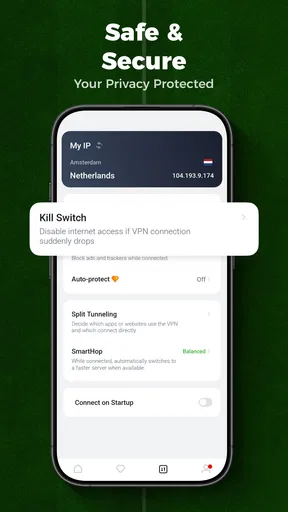
One feature I found particularly interesting is the Kill Switch. If the VPN connection drops unexpectedly, the Kill Switch kicks in, ensuring your data remains protected. This is crucial, especially if you're dealing with sensitive information.
Server Locations
With over 2000 servers spread across 50 countries, UFO VPN gives you plenty of options. Whether you want to connect to a server close to home or halfway around the world, you’ve got choices. This is great for accessing region-locked content. I could finally watch some shows that were previously out of reach. It's like having a passport to the internet.
For better results, I’d start with a location near me when the goal is ordinary browsing. A nearby route is often the sensible first test because it avoids adding unnecessary distance. If a specific site or stream needs another region, I’d switch only then, and check whether playback and sign-in still work. A VPN location can change what a service sees, but it can’t guarantee access: streaming platforms may use their own restrictions, and some services can reject VPN traffic.
Picking the right tool for the job
Compared with manually configuring a VPN, a simple connect button is less intimidating and quicker for occasional use. That is the main appeal here: I can get to a protected connection without learning a list of technical options first. Someone who wants to tune protocols, choose detailed routing rules, or inspect extensive connection controls may prefer a more configurable VPN. Likewise, if the priority is only blocking trackers in a browser, a browser privacy tool may be more direct than routing all phone traffic through a VPN.
I’d also separate privacy from anonymity. A VPN changes the apparent network location and encrypts traffic along its route, but it doesn’t hide activity from every service I sign into, erase cookies, or make unsafe downloads harmless. I still use unique passwords and avoid treating a VPN connection as permission to ignore basic security. That distinction matters most when handling banking, work accounts, or personal documents.
When the connection falters
A failed connection is frustrating precisely because a VPN sits in the path of everything it is carrying. If a page stops loading, I’d first check whether the phone still has working Wi-Fi or mobile data. Next I’d disconnect and reconnect, then try a nearby server rather than repeatedly selecting distant locations. If the original network itself is unstable, changing VPN servers won’t repair it; moving closer to the router or switching networks is the more useful fix.
For a time-sensitive task, I’d avoid experimenting mid-session. If a booking, payment, or video call is already underway and the connection becomes unreliable, I’d decide whether privacy or finishing the task matters more in that moment. Disconnecting may restore access, but it also removes the VPN layer, so I’d only do that on a network I trust. When the task is sensitive, waiting for a better connection is safer than rushing through repeated retries.
The app is free to start, while in-app purchases range from $7.99 to $49.99 per item. I’d use the free option to see whether the basic workflow suits me before paying. If an upgrade is tempting, I’d check what it unlocks inside the purchase screen and whether I actually need it; the price range alone doesn’t tell me which plan is best for my use. This is especially worth considering if I only need a VPN occasionally rather than for daily streaming or travel.
Data, battery, and practical habits
Because a VPN carries network traffic through another route, I wouldn’t assume that it reduces mobile-data use. Streaming over mobile data can still consume a lot, and adding a VPN doesn’t replace a video app’s quality controls or a phone’s data-saving settings. When I’m away from Wi-Fi, I’d lower streaming quality or save data through the service itself instead of expecting the VPN to manage that for me.
There’s also a small planning tip that makes a difference: connect before opening the app or site that needs the VPN, rather than waiting until a login or stream has already failed. Once connected, I’d test a simple page first. If it loads normally, I can move on to the more important task; if it doesn’t, I can troubleshoot without risking a half-finished transaction or losing my place in a stream.
For someone who uses public networks now and then, wants a straightforward connection, and is comfortable checking whether a chosen location works for a particular site, the app is an approachable option. It is less suitable for people who need detailed control, guaranteed access to a specific streaming catalog, or a VPN that can compensate for poor reception. A VPN can help with the route; it cannot make a weak signal strong.
User Experience
The user experience is where this app shines. The interface is clean, minimalistic, and straight to the point. You don’t have to be a tech guru to get the most out of it. Everything is just a tap away. I also appreciated the helpful tutorials and FAQs in the app, which are perfect for anyone new to VPNs.
I did run into a couple of ads in the free version, but they were non-intrusive and didn’t really disrupt my experience. If you’re like me and prefer an ad-free adventure, the premium version is the way to go.
Its general audience is broad: the content rating is Everyone, and it runs on Android 6.0 or later. That makes it an option for people using older compatible phones as well as newer ones, though the quality of the experience still depends on the device and its network. The current version is 2.5.2, and the app has attracted over a million installs, with an average rating of 4.0 from around twelve thousand ratings. Those figures suggest it has reached many users, but I’d still judge it by how it behaves on my own connection.
One useful way to test it is to keep the first session modest. Connect, open a familiar page, and note whether the site works as expected before relying on the VPN for a long stream or an important login. Then repeat the same task without the VPN if performance feels off. This simple comparison gives me a clearer answer than assuming every slowdown is caused by the app—or that every fast session proves the route will always be stable.
Final Thoughts
All in all, UFO VPN: Fastest Secure Proxy is a solid choice for anyone looking to enhance their online privacy and speed. It’s easy to use, packed with features, and offers a reliable connection. Whether you're streaming, gaming, or just browsing, this app has got you covered.
If you’re curious and want to give it a spin, you can check it out on the app store and decide if it’s the right fit for you. It's definitely worth a try, especially if you're looking to boost your browsing experience without compromising on security.
My connectivity verdict
I’d think of this app as a convenient tool for specific network moments, not something that promises a flawless route everywhere. Its strongest practical point is the low-effort connection flow: I can try a VPN without first studying a setup guide. The trade-off is that real performance still depends on the phone’s signal, the chosen route, and the service I’m trying to reach.
If you want a simple way to add a VPN connection on public Wi-Fi or test access from another location, it is reasonable to give the free version a careful try. If you need predictable access for work, granular privacy controls, or a guaranteed streaming result, I’d compare alternatives and test them against that exact need before committing. For casual use, the important question is not whether a VPN sounds reassuring, but whether this one connects reliably when you actually need it.
Pros
- Fast connection speeds for seamless browsing.
- Simple interface for easy navigation and use.
- Multiple server locations for global access.
- Strong encryption ensures data privacy.
- Works well with streaming services.
Cons
- Ads in the free version can be intrusive.
- Limited features without a premium subscription.
- Occasional connectivity drops.
- No support for torrenting activities.
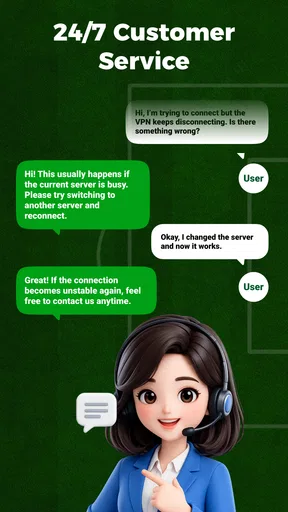
- Customer support response can be slow.
FAQs for UFO VPN : Fastest Secure Proxy
What is UFO VPN and how does it enhance my online security?
UFO VPN is a virtual private network service designed to protect your online privacy and security. By encrypting your internet connection, it prevents unauthorized access to your data and masks your IP address. This ensures that your online activities remain anonymous and secure, whether you're using public Wi-Fi or browsing from home.
Does UFO VPN slow down my internet speed?
While using any VPN can potentially affect your internet speed due to encryption processes and server distances, UFO VPN is known for its fast and reliable connections. It optimizes server performance to minimize speed loss, often allowing for smooth streaming and browsing. However, individual results may vary based on location and server choice.
Is UFO VPN free to use, or does it require a subscription?
UFO VPN offers both free and premium versions. The free version provides basic features with some limitations, like fewer server options. For enhanced features such as access to more server locations and higher speeds, a subscription to the premium version is required. Prices may vary based on the plan you choose.
Can I use UFO VPN on multiple devices simultaneously?
Yes, UFO VPN supports multiple device connections under one account. This means you can secure your internet connection on your smartphone, tablet, and computer at the same time. However, the number of simultaneous connections may depend on the plan you select, with the premium plan offering more flexibility.
Is UFO VPN easy to set up and use for beginners?
UFO VPN is designed with a user-friendly interface that makes it easy for beginners to set up and use. The installation process is straightforward, requiring no technical expertise. Once installed, users can simply select a server and connect with a single tap, making it accessible for all levels of tech-savvy users.


